Cursor
Automate AI development workflows with Cursor and emma
With emma's Cursor integration, you can connect directly with Cursor Cloud Agent. Streamline your development workflow through agent launching, management, and conversation history retrieval.
Features
Cursor_Operator supports the following 9 tools:
Authentication
Method:API Key
Cursor uses API Key authentication. Securely manage your API key to access Cloud Agent functionality.
| Category | Tools | ||||||||||||||||||||||
|---|---|---|---|---|---|---|---|---|---|---|---|---|---|---|---|---|---|---|---|---|---|---|---|
| Read Operations | 6 | ||||||||||||||||||||||
| |||||||||||||||||||||||
| Write Operations | 3 | ||||||||||||||||||||||
| |||||||||||||||||||||||
Main Parameters
| Parameter | Description |
|---|---|
| prompt_text | Task instruction content to execute |
| repository | GitHub repository URL (e.g., https://github.com/owner/repo) |
| ref | Base Git ref (branch, tag, commit) |
| model | AI model to use (auto-selected if not specified) |
| auto_create_pr | Whether to auto-create PR on completion |
| branch_name | Branch name to create |
| webhook_url | URL for status change notifications |
Prerequisites
- • emma account
- • Cursor account
- • Cursor API key
- • GitHub account integration
Setup
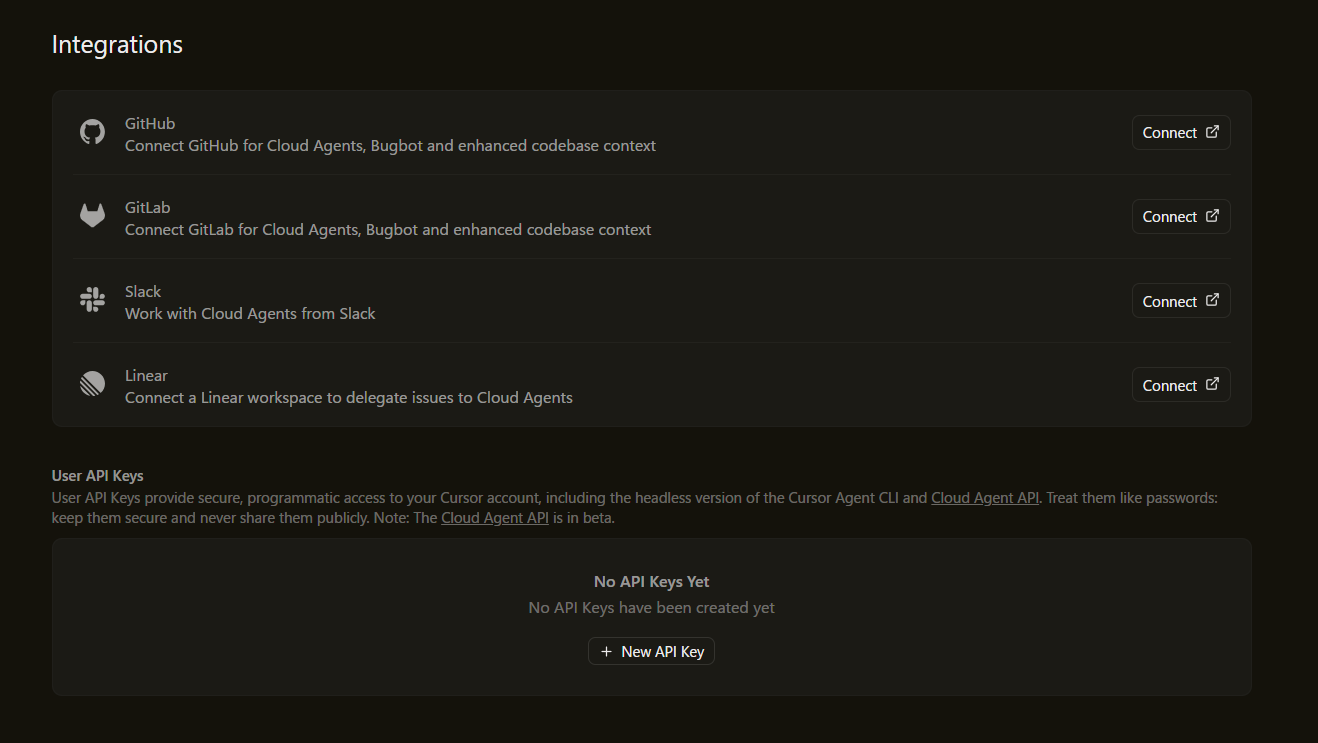
1. Get Cursor API Key
- Open Cursor settingshttps://cursor.com/dashboard/integrations
- Navigate to API section
- Generate or copy your API key
2. Configure in emma
Set up your Cursor API key in the emma dashboard and enable the integration.