AssemblyAI
Automate speech-to-text transcription and analysis with AssemblyAI and emma
With emma's AssemblyAI integration, you can automate high-accuracy transcription of audio and video files, speaker diarization, summarization, sentiment analysis, and LLM analysis through automated workflows. Supports 99+ languages.
Supported Formats
Audio Files
MP3, WAV, M4A, FLAC, OGG, WebM
Video Files
MP4, MOV, MKV, WebM
Max File Size
5GB
Max Duration
10 hours
Available Tools
Authentication
API Key:API Key
Authenticate using your AssemblyAI API key to access transcription and analysis features.
8 tools are available:
| Category | Tool Count | ||||||||||||||||
|---|---|---|---|---|---|---|---|---|---|---|---|---|---|---|---|---|---|
| Transcription | 4 | ||||||||||||||||
| |||||||||||||||||
| LLM Gateway (LeMUR) | 4 | ||||||||||||||||
| |||||||||||||||||
Audio Intelligence Features
| Feature | Description |
|---|---|
| speaker_labels | Speaker diarization (identify who said what) |
| auto_chapters | Auto chapters (divide into logical sections) |
| summarization | Automatic summarization (bullets, paragraph, etc.) |
| sentiment_analysis | Sentiment analysis (positive/neutral/negative) |
| entity_detection | Entity detection (people, organizations, locations, etc.) |
| content_safety | Content safety check (detect sensitive content) |
Prerequisites
- • emma account
- • AssemblyAI account
- • AssemblyAI API Key
Setup
1. Get AssemblyAI API Key
- Create an account at AssemblyAI (assemblyai.com)
- Get your API key from the dashboard
- Copy the API key
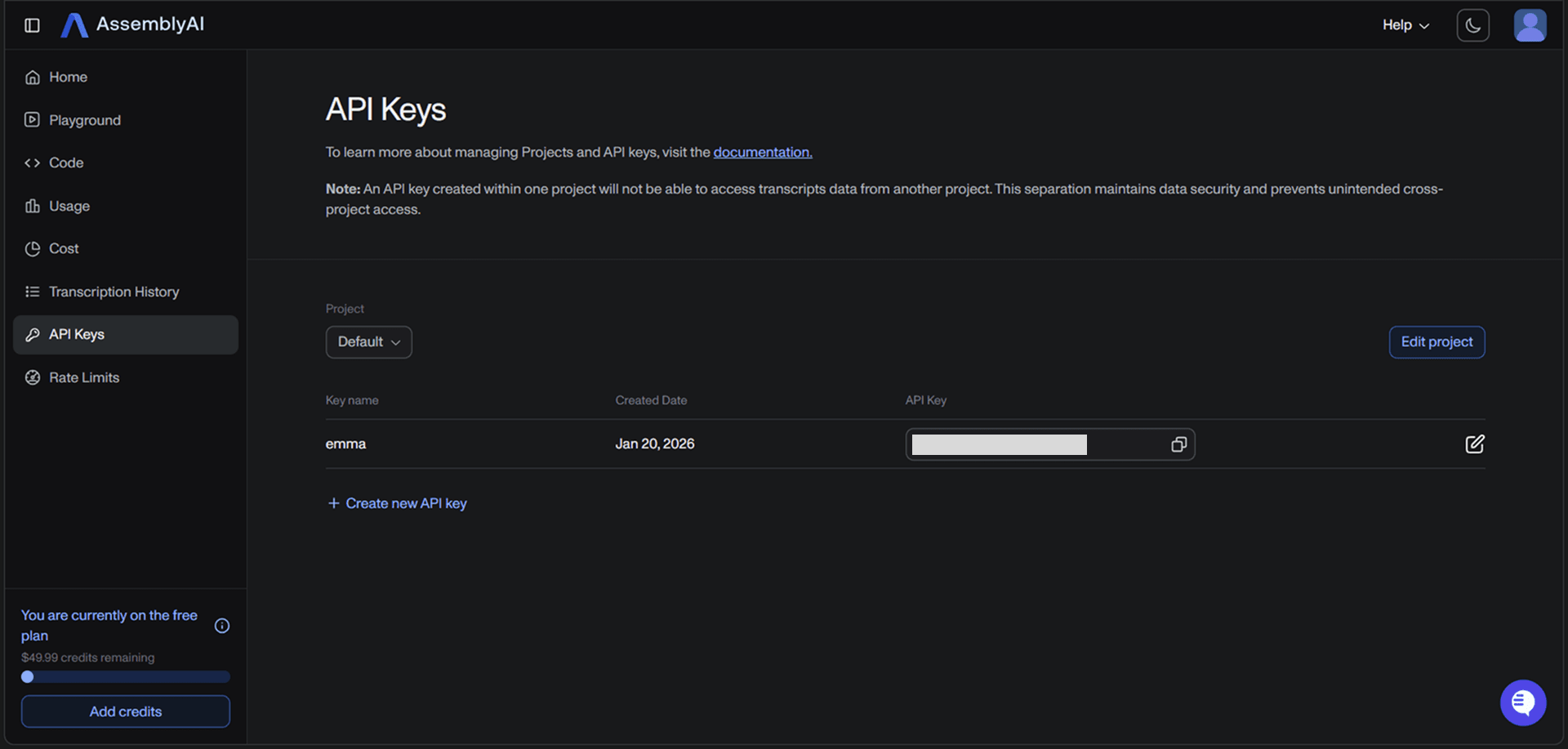
2. Configure API Key in emma
Set your API key in emma's integration settings page.