ClickUp
Automate project and task management with ClickUp and emma
emma's ClickUp integration allows you to connect with the powerful project management tool ClickUp. Leverage the hierarchical structure of Workspaces, Spaces, Folders, Lists, and Tasks to automate task creation, updates, search, and comment management.
ClickUp Hierarchy Structure
Workspace (Team)
├── Space
│   ├── Folder
│   │   ├── List
│   │   │   └── Task
│   │   └── List
│   └── Folderless List
│       └── Task
ClickUp manages projects in a hierarchical structure: Workspace → Space → Folder → List → Task.
Features
ClickUp_Operator supports the following tools:
Authentication
Method:API Key
ClickUp uses API Key authentication. Generate an API key from your ClickUp settings and configure it in emma.
| Category | Tool Count | ||||||||||||||||||||||||||||
|---|---|---|---|---|---|---|---|---|---|---|---|---|---|---|---|---|---|---|---|---|---|---|---|---|---|---|---|---|---|
| Read | 8 | ||||||||||||||||||||||||||||
| |||||||||||||||||||||||||||||
| Write | 3 | ||||||||||||||||||||||||||||
| |||||||||||||||||||||||||||||
| Delete | 1 | ||||||||||||||||||||||||||||
| |||||||||||||||||||||||||||||
Priority Values
| Value | Meaning |
|---|---|
| 1 | Urgent (Urgent) |
| 2 | High (High) |
| 3 | Normal (Normal) |
| 4 | Low (Low) |
| null | No priority |
Prerequisites
- • emma account
- • ClickUp account
- • ClickUp API Key
Setup
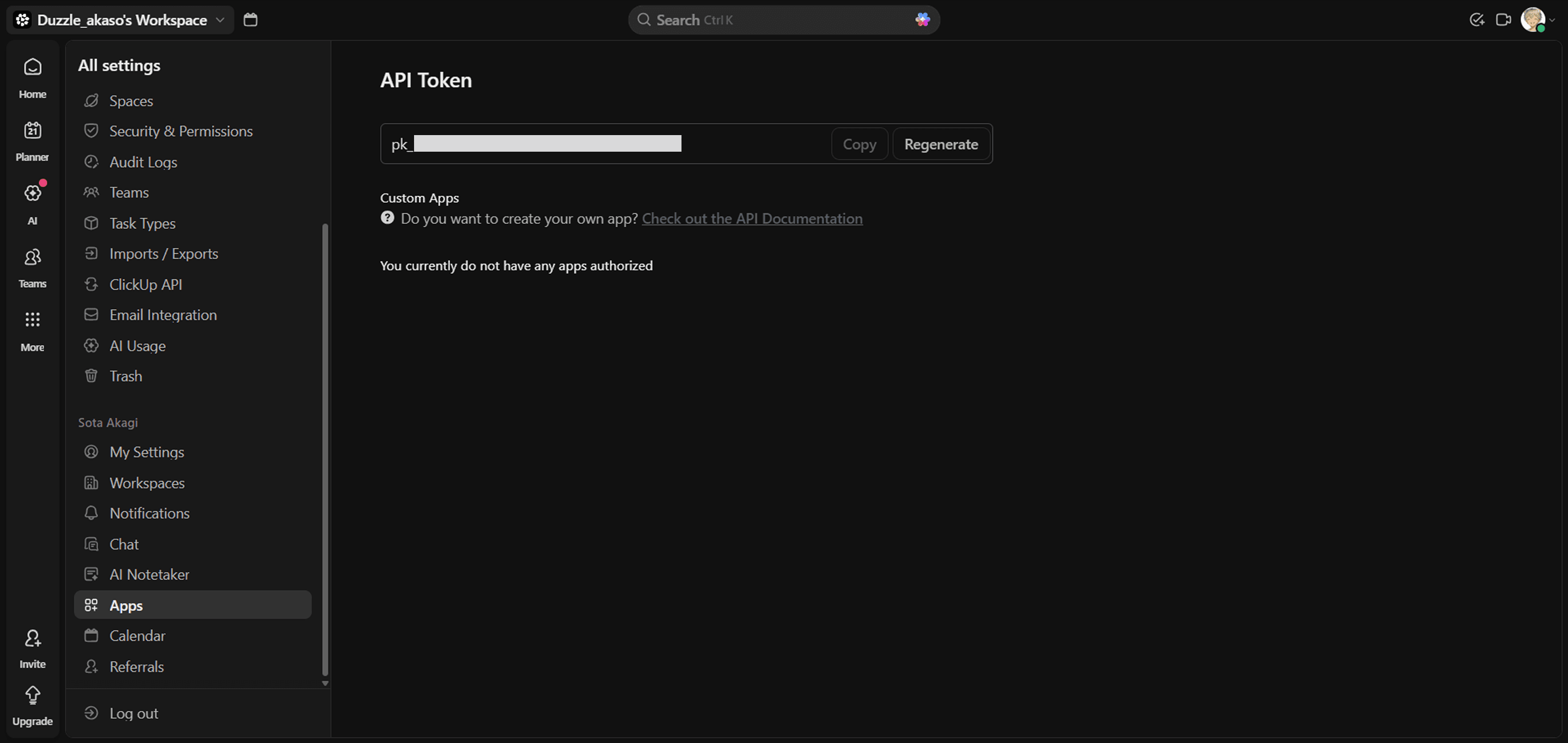
1. Get ClickUp API Key
- Log in to ClickUp and click your profile icon in the top right
- Select "Settings"
- Click "Apps" in the left sidebar
- In the "API Token" section, click "Generate" or "Regenerate" to get your API key
2. Configure in emma
Configure the API key you obtained in the ClickUp integration on emma's Integrations page.