
Manus
Automate AI agent tasks with Manus and emma
With emma's Manus integration, you can directly interact with the Manus AI agent platform. Create, execute, and monitor AI tasks, manage connectors, and handle webhooks through automated workflows.
Agent Profiles
manus-1.6 (Standard)
Balanced default profile
manus-1.6-lite (Lite)
For fast, lightweight tasks with lower credit usage
manus-1.6-max (Max)
For complex, heavy-duty tasks with higher credit usage
Features
Authentication
Method:API Key
Authenticate using your Manus API key to access all platform features.
Manus_Operator supports the following 5 tools:
| Category | Tools | |||||||||||||
|---|---|---|---|---|---|---|---|---|---|---|---|---|---|---|
| Task Management | 3 | |||||||||||||
| ||||||||||||||
| Webhook Management | 2 | |||||||||||||
| ||||||||||||||
Main Parameters
| Parameter | Description |
|---|---|
| prompt | Instruction/prompt for the AI agent |
| agent_profile | Agent profile (manus-1.6, manus-1.6-lite, manus-1.6-max) |
| task_mode | Execution mode (chat: conversational, adaptive: autonomous) |
| task_id | Task ID |
| connectors | List of connector IDs to use |
| wait_for_completion | Whether to wait for task completion |
| events | List of events to subscribe to for webhooks |
Prerequisites
- emma account
- Manus account
- Manus API key
Setup
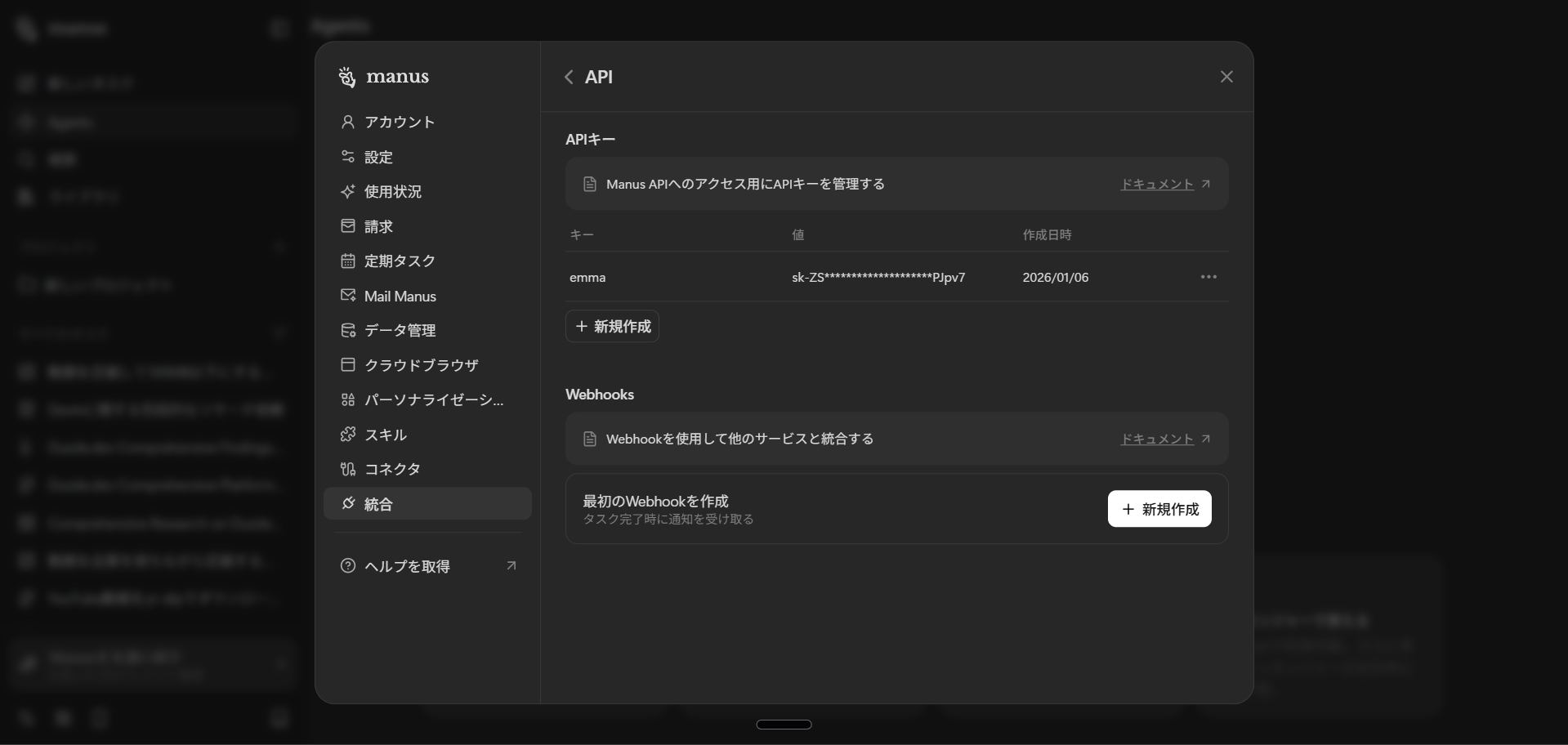
1. Get Manus API Key
Get your API key from your Manus account settings page.
2. Configure API Key in emma
Set your Manus API key in emma's integration settings page.

